
🛒 Best Price Today on Amazon
Prime members get fast, free shipping on everything above, plus member-only deals. New members get a 30-day free trial — cancel anytime.
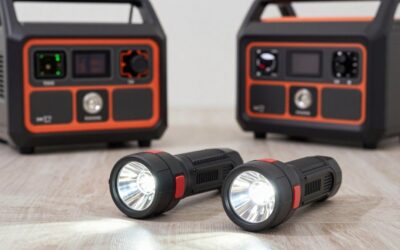
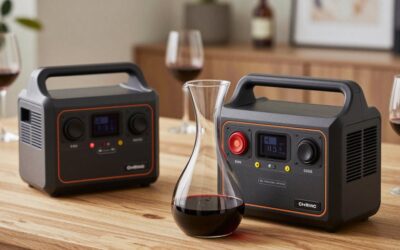
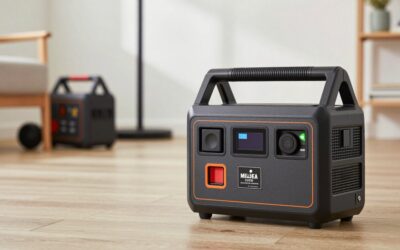
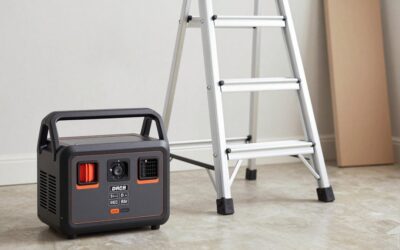
The EcoFlow River 2 and River 3 are small, roughly 250Wh-class LiFePO4 stations aimed at phones, laptops, camera batteries, CPAP machines and light camping. The River 3 is the newer generation, and the question most shoppers ask is whether its refinements are worth paying more than a discounted River 2. Because the capacity class is similar, the answer comes down to features, noise and price.
At a glance
Both sit in the same small capacity class, so the differences are about refinement rather than raw power. Figures below are class-level ranges rather than lab measurements; exact capacity, output and weight vary by production batch and regional version, so confirm the current spec sheet before you order.
| Factor | River 2 | River 3 |
|---|---|---|
| Capacity class | ~250Wh LiFePO4 | ~250Wh LiFePO4 |
| AC output class | ~300W (boost mode for resistive loads) | ~300W (boost mode for resistive loads) |
| Generation | Earlier, widely discounted | Newer, refined electronics |
| UPS behaviour | Basic pass-through | Marketed fast UPS switchover |
| Best fit | Budget camping and power-bank use | Desk UPS, quieter indoor use |
Where the River 2 wins
Price
As the older model, the River 2 is often discounted well below the River 3. If your use is charging phones and running lights on camping trips, the savings are the whole story.
Proven track record
The River 2 has been on the market longer, so there is more real-world feedback on its longevity and quirks.
Same core chemistry
Both use LiFePO4 cells rated for thousands of cycles, so you are not giving up lifespan by choosing the older unit.
Where the River 3 wins
UPS use
For a router, modem or small desktop setup, the River 3’s faster switchover is the most useful upgrade. It makes the unit a credible mini-UPS rather than just a battery.
Quieter operation
Newer-generation electronics typically run cooler and quieter, which matters on a desk or beside a bed with a CPAP.
Longer support window
A newer model will usually receive firmware updates and parts support for longer.
Runtime math on real loads
Runtime is simply usable watt-hours divided by load watts. We assume about 85% of rated capacity reaches your devices after inverter losses, which is typical for LiFePO4 stations running AC loads. Because the two batteries are nearly identical in size, runtime differences are small; neither is designed for fridges or anything above a few hundred watts.
| Load | Draw | River 2 (~256Wh class) | River 3 (~245Wh class) |
|---|---|---|---|
| Phone charging | 15W | ~14.5 h | ~13.9 h |
| 12V cooler (avg) | 45W | ~4.8 h | ~4.6 h |
| CPAP (no humidifier) | 40W | ~5.4 h | ~5.2 h |
| Laptop | 60W | ~3.6 h | ~3.5 h |
| Mini fridge | 70W | ~3.1 h | ~3.0 h |
Small-station use cases that work well
In the ~250Wh class, the best jobs are charging phones (roughly 15-20 full charges), keeping a laptop alive for three to four work sessions, running LED lights and a fan through an evening, or powering a router and modem for about two to three hours during an outage. They are also light enough, typically under 10 lb, to keep in a car trunk as an emergency power bank.
Who should skip both
If you want to run a mini fridge overnight, a coffee maker or anything with a heating element, a 250Wh-class station is the wrong tool. Step up to a 500Wh-1kWh class unit with a 1,000W+ inverter. Boost modes let small stations run resistive loads such as a kettle at reduced power, but the result is slow and drains the battery in minutes.
Checklist before you order
- Your peak load: add up everything that will run at the same moment and keep it under about 80% of the continuous inverter rating of the River 2 or River 3.
- Your daily energy: multiply each device’s watts by its hours of use, total it, then divide by 0.85 to find the rated capacity you need.
- Surge: motors in fridges, pumps and compressors can briefly pull three to five times their running watts; check the surge rating, not only the continuous one.
- Recharge path: confirm wall-charge time, maximum solar input and whether car or generator charging is supported.
- Warranty and cycles: LiFePO4 units are typically rated for roughly 3,000+ cycles to 80% capacity; favour longer warranties and authorised sellers.
Which should you buy?
Buy the River 2 if…
you want the cheapest capable LiFePO4 power bank for camping, road trips and emergency phone charging, and you can find it on sale.
Buy the River 3 if…
you plan to use it indoors as a mini-UPS for internet gear or a CPAP, care about fan noise, or want the longest support life. The price premium is small relative to the usability gain for those uses.
FAQ
Can the River 3 run a CPAP overnight?
Yes, if you skip the heated humidifier. A CPAP averaging 30-50W will run roughly four to seven hours on a ~250Wh-class battery, more through a DC cable.
Is the River 2 still worth buying?
At a solid discount, yes. The core battery and inverter class are similar, so for camping and charging it delivers most of what the River 3 does.
Bottom line
For pure value, a discounted River 2 is still a smart small station. For indoor UPS duty, quieter nights and longer support, the River 3 is worth the modest premium. Neither replaces a larger unit if you need to run a fridge or heat-producing appliances.
Write Your Review
No reviews yet. Be the first to share your experience!